
Get Started with the Online Course
Below is a brief guide for anyone who needs help getting started with the online course.
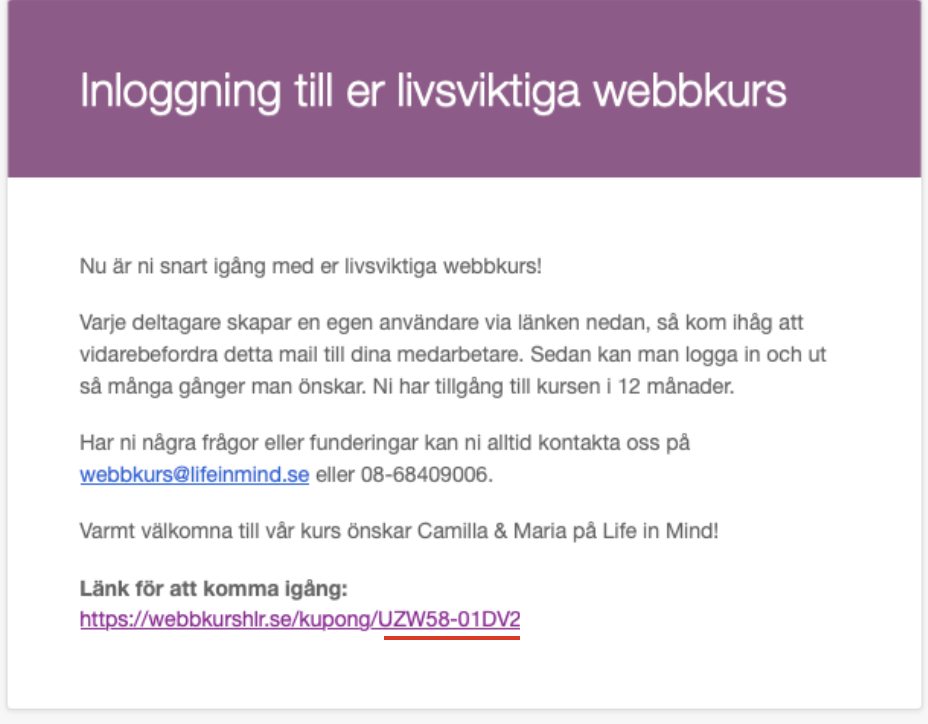
Click the link in your email to get started. See the example on the left.
If you have pop-ups blocked on your computer, tablet, or phone, you may need to enter a coupon code manually. In that case, the code is the combination of numbers and letters at the end of the link.
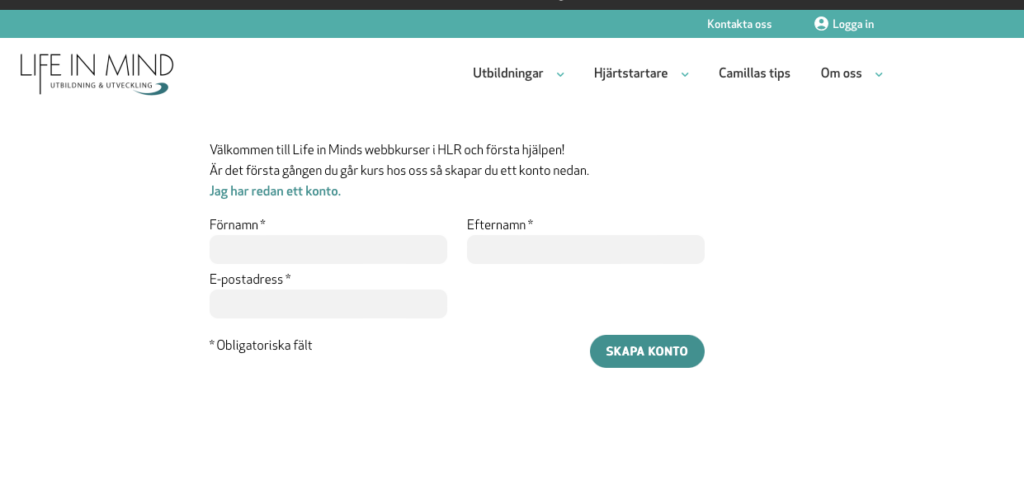
Create your account –
or, if you've taken a course before, go to webbkurshlr.se and click "I already have an account."
If you don't have a new account, your login information will also be sent to you by email so that you can easily log in again at a later time.
Click " Activate Course."
You can now find your course under "My Courses."
Here you can log in as many times as you like while you have access to the course.
Feel free to bookmarkwebkurshlr.seon your computer so you can easily find your way back.
If you still encounter problems logging in, we recommend that you close the window and click the link again.
If you're still having trouble, you can chat with us or call 08 684 09006.